Why your plugin won't load: 10 YAML config mistakes
How to read the server log to find the exact file and line that broke, and the ten YAML mistakes that show up again and again, from tabs to hex colors.
You dropped in a plugin, restarted, and the command isn't there. Or the plugin worked fine until you changed one line in its config. Most of the time the plugin itself is fine and the problem is a single character in config.yml. Here is how to track it down, and the mistakes we see over and over.
First: what exactly failed to load
There are two different cases with different fixes.
- The jar itself didn't load. On startup the console shows something like
Could not load 'plugins/Name.jar'. The config is almost never the cause here. The plugin was built for another game or Java version, a dependency such as Vault or ProtocolLib is missing, or two copies of the same plugin sit in the folder. We cover installing plugins in a separate article. - The plugin loaded but its config didn't. The log shows an error that names the file and mentions
InvalidConfigurationException,YAMLorSnakeYAML. The plugin runs on defaults, disables itself, or breaks on the first command. That's the case this article is about.
Finding the broken line
- Open
logs/latest.log. It holds the whole startup, while a hosting console often shows only the tail. - Find the plugin name and the first error after it. Everything below is usually a consequence of that first one.
- The error mentions a
lineand acolumn: where the parser gave up. The real mistake is often a line or two above. - Open the file in an editor that highlights YAML and shows whitespace, like VS Code or Notepad++. Plain Notepad won't show you a tab.
- Check the file before restarting. On Linux,
grepfinds tabs, and Python with PyYAML will parse the whole file and name the error. - Restart the server, or use the plugin's own reload command if it has one. Don't use a full-server
/reload.
grep -nP '\t' plugins/Name/config.yml
python3 -c "import yaml; yaml.safe_load(open('plugins/Name/config.yml', encoding='utf-8'))"
The second command stays silent if the syntax is fine.
10 mistakes that break a config
1. Tabs instead of spaces
YAML only accepts spaces for indentation. A single tab and the whole file fails. The error is easy to spot:
found character '\t(TAB)' that cannot start any token. (Do not use \t(TAB) for indentation)Replace tabs with spaces and set your editor to insert spaces when you press Tab.
2. Wrong indentation
Indentation decides which section a key belongs to. Shift a line two spaces left and it moves into the parent section. Often there's no error at all: the file is valid, the plugin just looks elsewhere.
# wrong: radius ended up under settings, not spawn
settings:
  spawn:
    world: world
  radius: 50

# right
settings:
  spawn:
    world: world
    radius: 50
3. No space after the colon
To YAML, radius:50 isn't a key with a value, it's one piece of text. Next to normal keys it throws could not find expected ':'; on its own it silently turns the section into a string. Simple rule: always a space after a key's colon.
4. A colon inside text
A message like restart: Warning: restarting in one minute breaks the file with mapping values are not allowed here. YAML reads the second colon-plus-space as the start of a new key. Quote it:
restart: '&cWarning: restarting in one minute'5. Hex colors with a hash
A hash after a space starts a comment. color: #FFAA00 reads as an empty value with a comment after it. Nothing shows up in the log, the color just doesn't apply. Anything starting with # goes in quotes: color: '#FFAA00'.
6. A special character at the start of a value
Several characters mean something to YAML when they open a value: & is an anchor, * an alias, ! a tag, [ and { start a list or a map, and % and @ can't start unquoted text at all. That hurts on Minecraft servers, because color codes start with & and placeholders with %.
# wrong
prefix: &c[Admin]
format: %player_name% joined
tag: [VIP] Steve

# right
prefix: '&c[Admin] '
format: '%player_name% joined'
tag: '[VIP] Steve'
7. Quotes inside quotes
Inside single quotes, an apostrophe is doubled: 'You don''t have permission'. Inside double quotes the backslash is an escape character, so "C:\server" fails with found unknown escape character. Use single quotes for paths and anything with backslashes.
8. A string where a list is expected
Item lore, command lists and world lists are expected as lists. Write them as one line and the plugin either ignores it or errors when the menu opens.
# wrong
lore: '&7Rare sword'

# right
lore:
  - '&7Rare sword'
  - '&7Damage +5'
An empty list is [], not a blank. And the dash needs a space after it too.
9. Numbers, versions and yes/no
The Bukkit loader follows older YAML rules: yes, no, on and off become booleans, and 1.20 becomes the number 1.2. If the plugin expects text, a quiz answer of no turns into false and a version loses its zero. Quote those too: version: '1.20'.
10. Encoding and invisible characters
A file not saved as UTF-8 turns non-English text into garbage. Text pasted from a chat app can bring non-breaking spaces: the indent looks fine, but to the parser it isn't a space. Save as UTF-8 and retype indentation on pasted lines.
Common mistakes while fixing
- Editing the wrong file. A plugin may have
config.yml,messages.ymland a language folder. After an update an old copy of the config may sit next to the new one under another name. - The key was renamed in a new version. Syntax is fine, the setting does nothing. Compare with the default config: rename yours, let the plugin generate a fresh one, move your values over.
- Editing while the server runs. Some plugins save their config on shutdown and overwrite your edit with what they had in memory.
- The same key twice. Two
settings:sections in one file. Depending on the loader, the last one wins or the file doesn't load at all. - No copy before editing. You broke it and no longer remember what it was. Copy the file before you touch it.
Doing the same thing faster
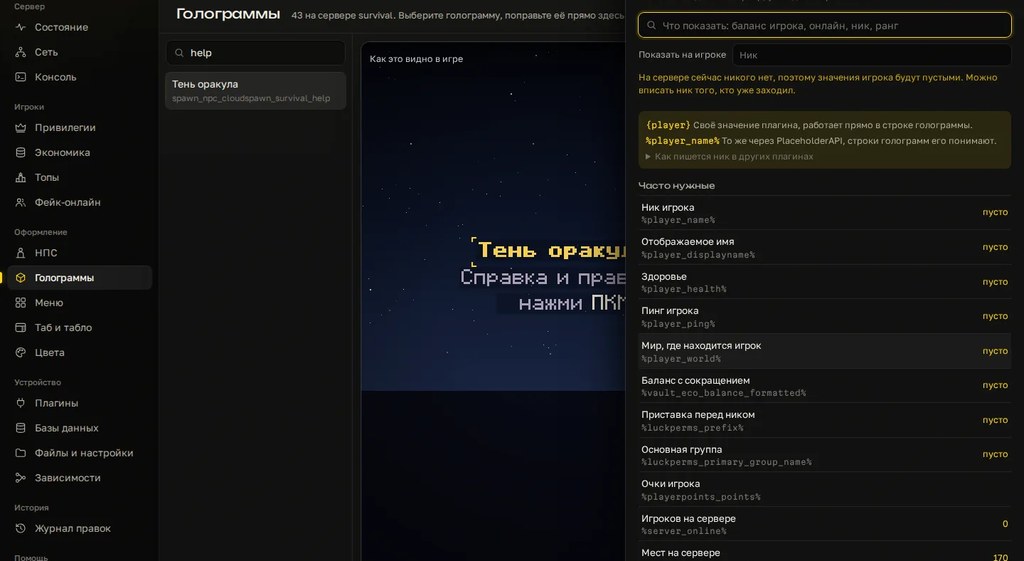
In Cloud Panel, the settings of nine popular plugins open as forms with plain-language labels: Citizens, DecentHolograms, DeluxeMenus, Essentials, ItemsAdder, LuckPerms, MythicMobs, TAB and WorldGuard. You change a value in a field and the panel writes only that value to the file. Indentation, comments and every other line stay byte for byte, so there's nowhere for a tab or a broken indent to come from.
Every edit goes into a log, and any of them can be rolled back. Console, files and server restart are in the same window. If your plugin isn't on the list, or the file was already broken by hand, you still fix it with the steps above: the panel won't guess the mistake for you.
Checklist
- You found the file, line and column of the first error in
latest.log. - No tabs in the file.
- Indentation is consistent and nested keys sit under the right section.
- Every key's colon is followed by a space.
- Values with
:,#,&,%,@or[are quoted. - Versions and yes, no, on, off are quoted when they're meant as text.
- Lists are written as lists.
- The file is saved as UTF-8.
- You copied the file before editing.
- After a restart the console shows no errors from this plugin.
Try editing configs through forms with one-click rollback on your own server: 3 days free.
Do not want to put all of this together by hand?
We have been building server builds, plugins and websites for Minecraft servers since 2022. A ready-made solution goes onto your hosting in an evening, and we install it for free.