CloudStaffWork — tracking your project team's statistics (1.12+)
Sometimes you need to know how one of your server's moderators is doing: how many bans they have, how many mutes, how many hours played. Getting all this information is not easy, especially when there are many moderators.
My team and I built a plugin that tracks all moderator statistics and stores them in a MySQL database. This lets you get, at any time, through the VK bot or directly from the server, the number of bans and mutes for a specific moderator, as well as their playtime for any period you need.
Our unique points system for every ban and mute makes it easy to see which moderator works best and reward them.
The plugin was built by the best developers on the market, which means it will work flawlessly and won't add even a percent of load to your server.
Plugin commands in VK:
- !кп список (get the project team list)
- !кп стата [nickname] [days] (get a player's statistics for a given period)
Plugin commands on the server:
- /work stats [days] (get your own statistics - work.command.stats)
- /work stats [nickname] [days] (get another player's statistics - work.commands.reload)
- /work addscore [nickname] [amount] (add points to a player - work.command.stats.other)
- /work reload (reload the config - work.command.reload)
The following dependencies must be installed for the plugin to work correctly:
- VK-API
- LiteBans
- Vault
Installation instructions:
- Install all dependency plugins
- Configure the VK-API plugin's config.yml by entering your VK group ID and the token for the bot
- Install the CloudStatistic plugin. After the first launch, set up the MySQL connection in config.yml and reload the plugin
- The plugin is ready to use.
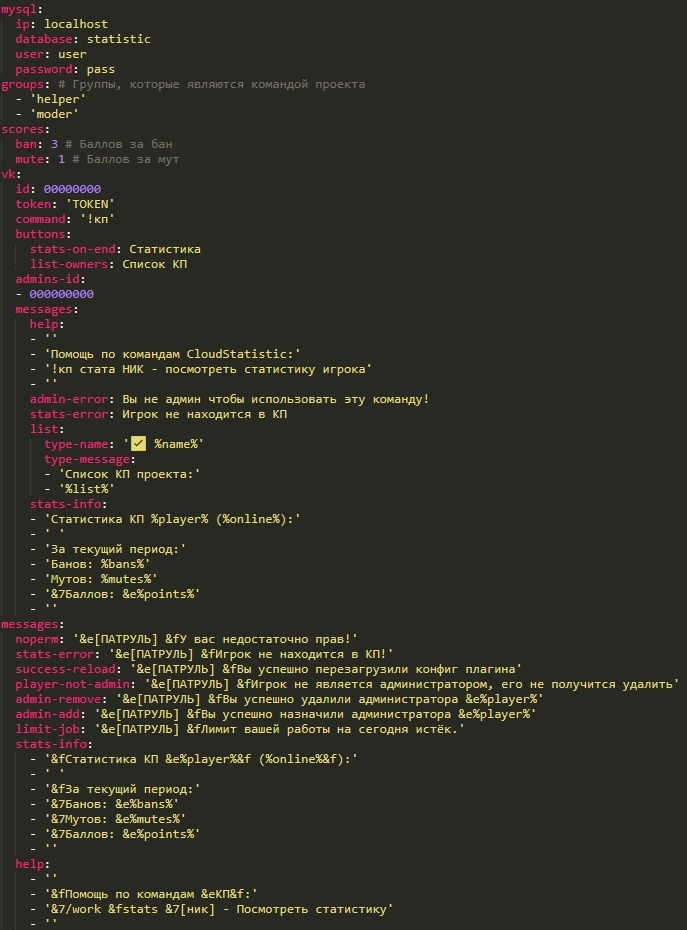
Plugin configuration: