CloudAltar — The most brutal kind of air drop (1.16.5+)
Welcome to our article!
Looking for a truly interesting PvP event and tired of the usual airdrops? You can stop looking: one of the best PvP events has already been found. It's CloudAltar.
Let's not drag this out and go straight to the main features of this great plugin! This event is a variation of the air drop with one condition that radically changes its nature: to open the airdrop, you have to get a certain number of kills in its immediate vicinity!
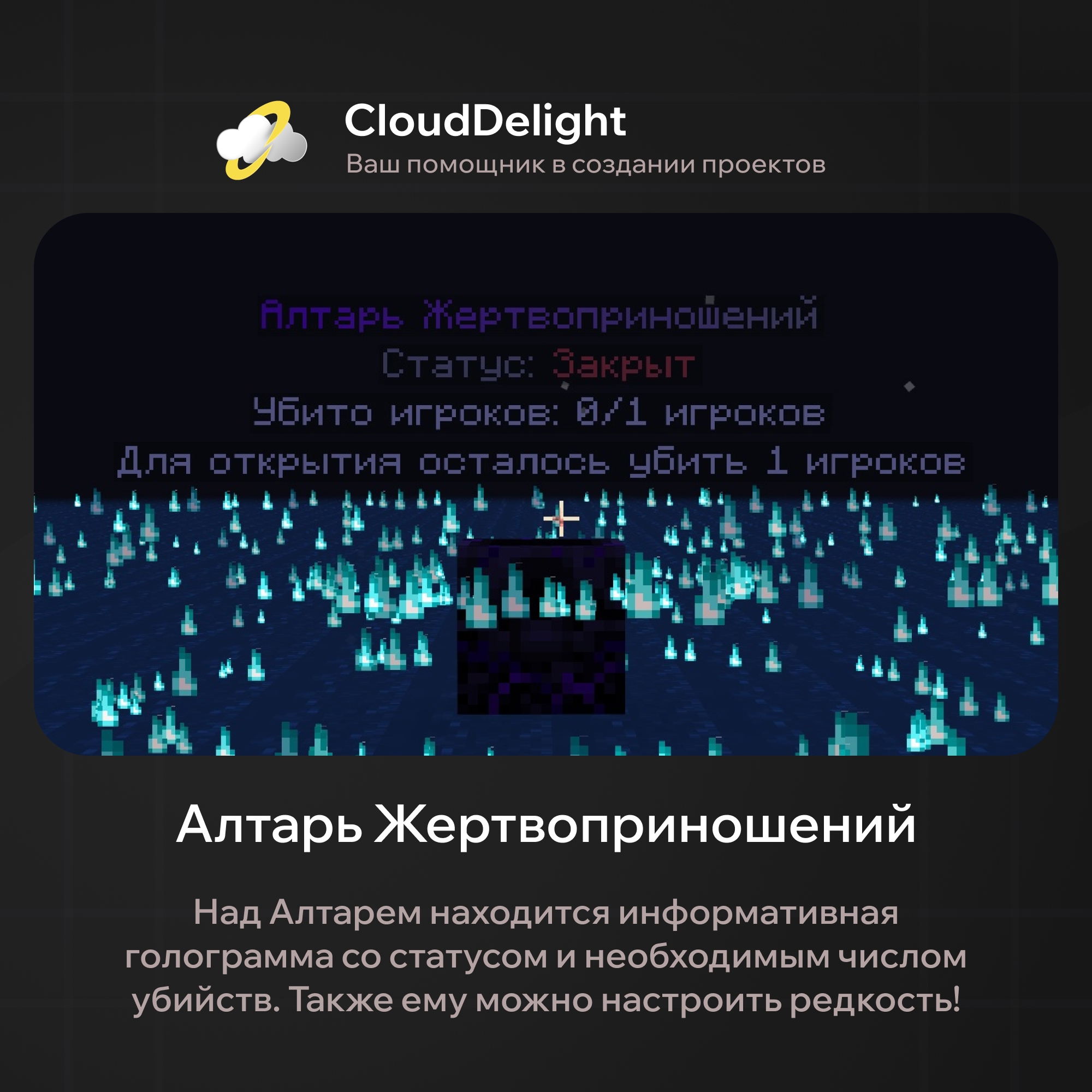
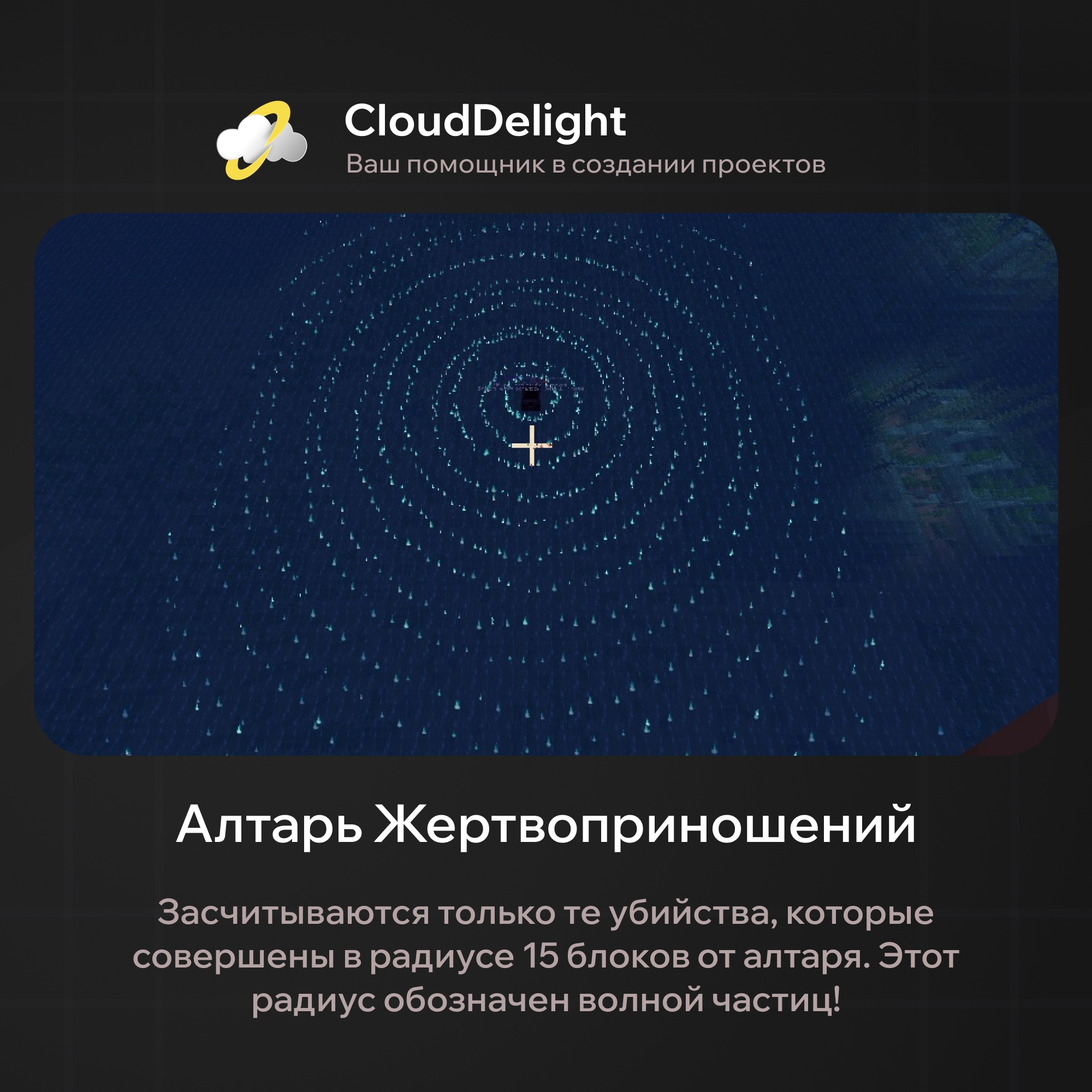
In the plugin you can configure the hologram's appearance, the Altar's rarity, the required number of kills, and the radius within which those kills must be made. So that players don't have to guess, the radius is marked with particles, which you can also change as you like.
There are simply no alternatives to this plugin! Still, let's go over its main strengths, in case you're still wondering whether this event is worth buying:
- Full customization
In our plugin we implemented customization that lets you tune every aspect to your taste. For this there are several configs, each responsible for configuring one aspect or another:

- Event schedule
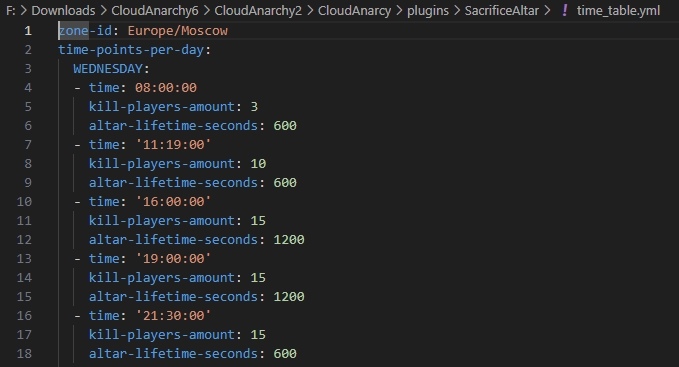
In the time_table.yml config you can set the time zone (for example, Moscow time or any other) and the Altar's spawn time for each day of the week. For example, so that the Altar spawns at one time on weekdays and at another on weekends. In addition, depending on the time of day and day of the week, you can set how many players must be killed to open the Altar, and the Altar's TTL (lifetime) before automatic removal.
- Loot tables
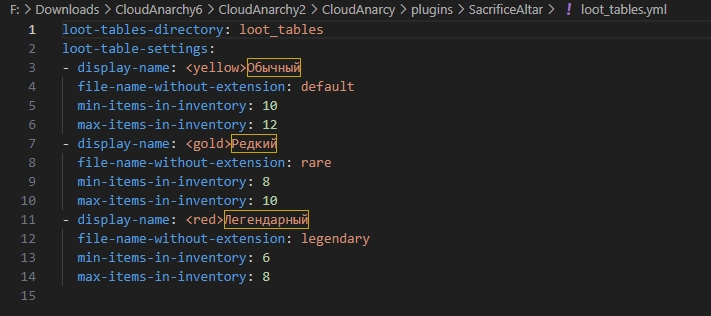
You can create different loot tables that differ in the value of the loot. Items are stored in binary files in a directory whose path is set in the loot_tables.yml file (loot-tables-directory). Further down in the same config, the loot tables themselves are configured: the range of the number of items placed in the inventory when the Altar spawns, and the name of the binary file with the items. All item files use the .bin format, which stores full item information (NBT) as bytes and converts it to an ItemStack from the server core API when plugins load.
To change an existing table or create a new one, use /altarEditLootTable <any loot table name>. This command opens the loot table editing menu, where you drop in items from your inventory. When you close this menu, the changes are saved right away.
After that, a file named after the first argument of /altarEditLootTable is created or changed (that is, if you type /altarEditLootTable test, a test.bin file is created with all the items you added).
- Temporary region for the event:
To protect the Altar from attempts to break, blow up, build over, or otherwise damage it, a temporary claim is created when it appears in a 15x15x15 zone. It forbids placing and breaking blocks, explosions, and any other actions that could destroy the Altar.
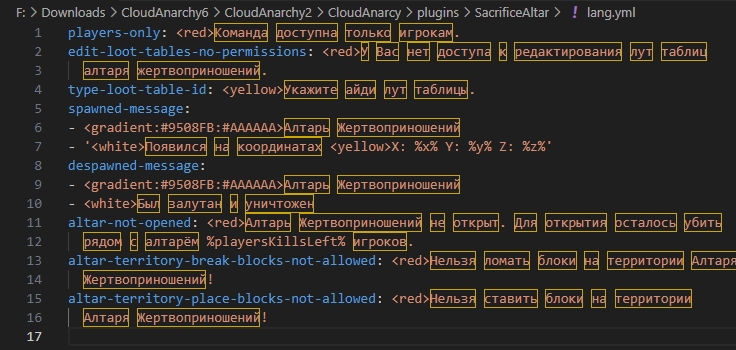
- Configuration:
No need for extra words here, you can see everything for yourself:
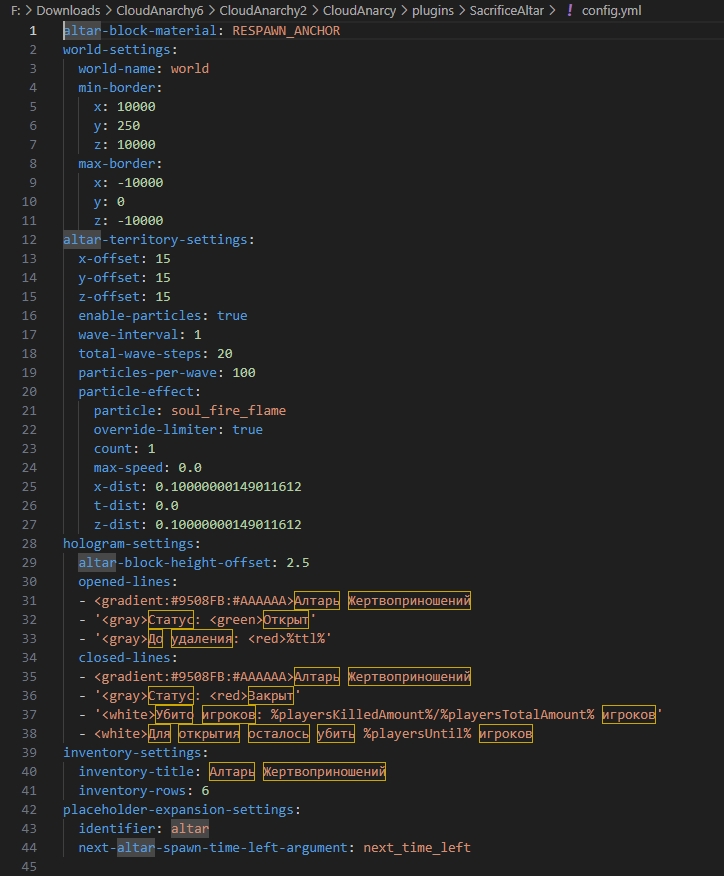
That covers the features of our wonder plugin. As you can see, the plugin offers the maximum level of customization, so it fits the theme of absolutely any server! Plus, since the studio supports the plugin, it will get new features soon.
Dependencies:
- ProtocolLib
- PlaceholderAPI
- DecentHolograms