CloudSkills Pro — a combat skill tree with purchasing and leveling
Welcome to our new article! Almost every upgrade on any server comes down to enchantments, and nobody even thinks to look at progression from the other side. We did — and built CloudSkills Pro: sixteen skills that a player buys with in-game money and levels up, and that work right in combat.
This isn't a "PRO version" just to add a suffix to the name. The regular CloudSkills has four skills handed out through permissions. Here there are sixteen skills, each with its own price, its own levels, and its own icon in the menu, and purchasing is done with in-game currency.
Skills that trigger on their own
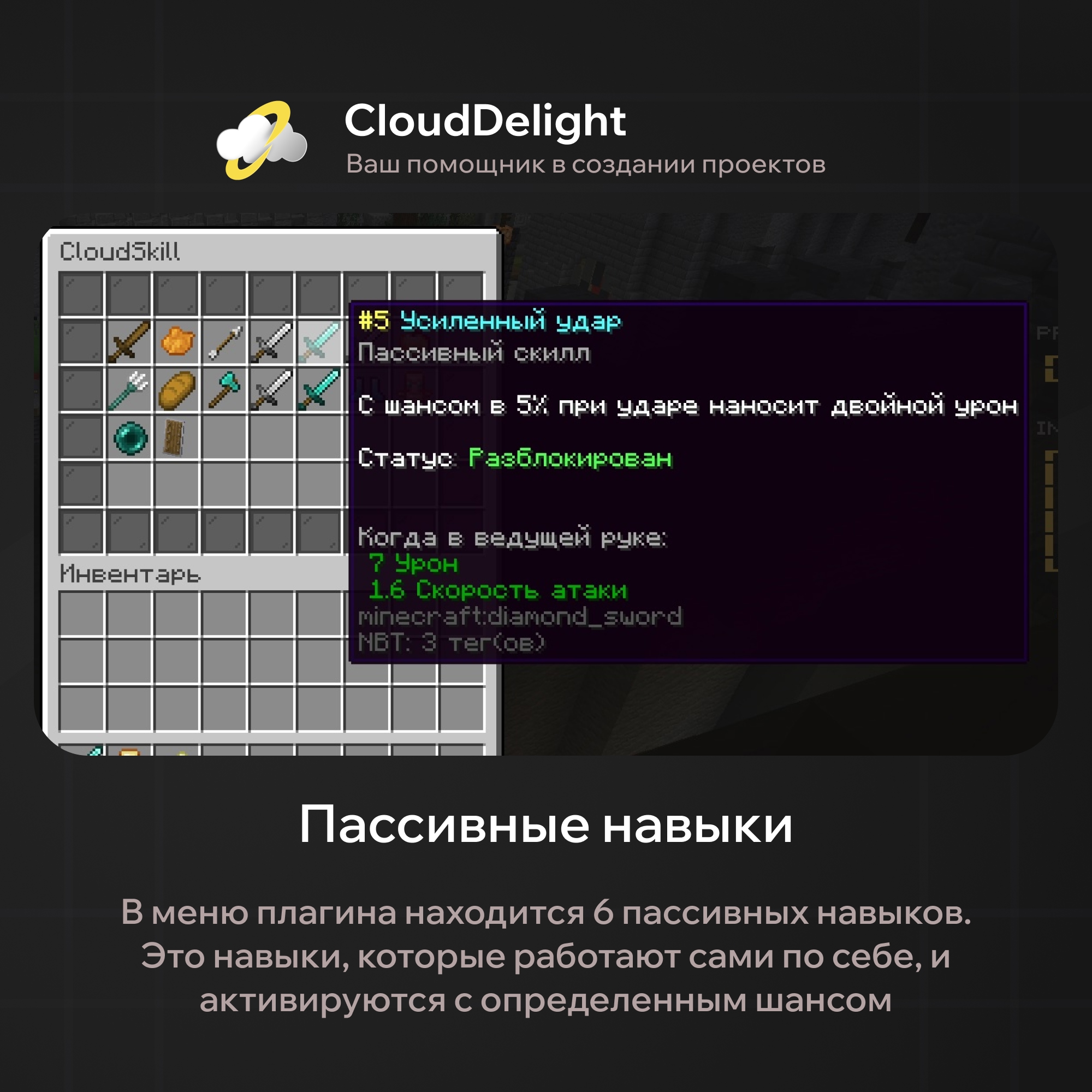
The first half of the list is passive skills. The player presses nothing: they fire at the moment of hitting an opponent, with a chance.
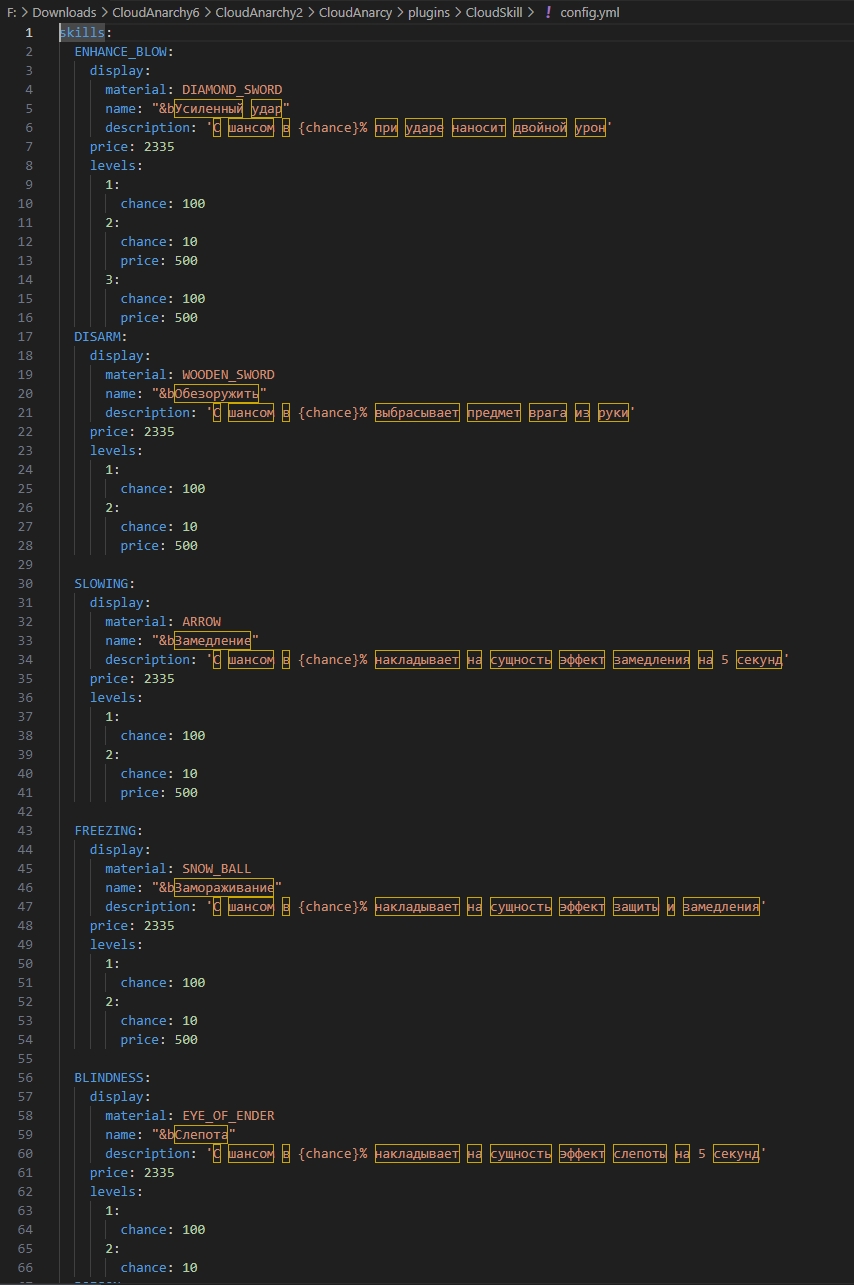
| Skill | What happens on hit |
|---|---|
| Enhanced Blow | Deals double damage |
| Disarm | Knocks the item out of the enemy's hand |
| Slowness | Slowness for 5 seconds |
| Freeze | Fully immobilizes for 5 seconds and gives the target Resistance 5 |
| Blindness | Blindness for 5 seconds |
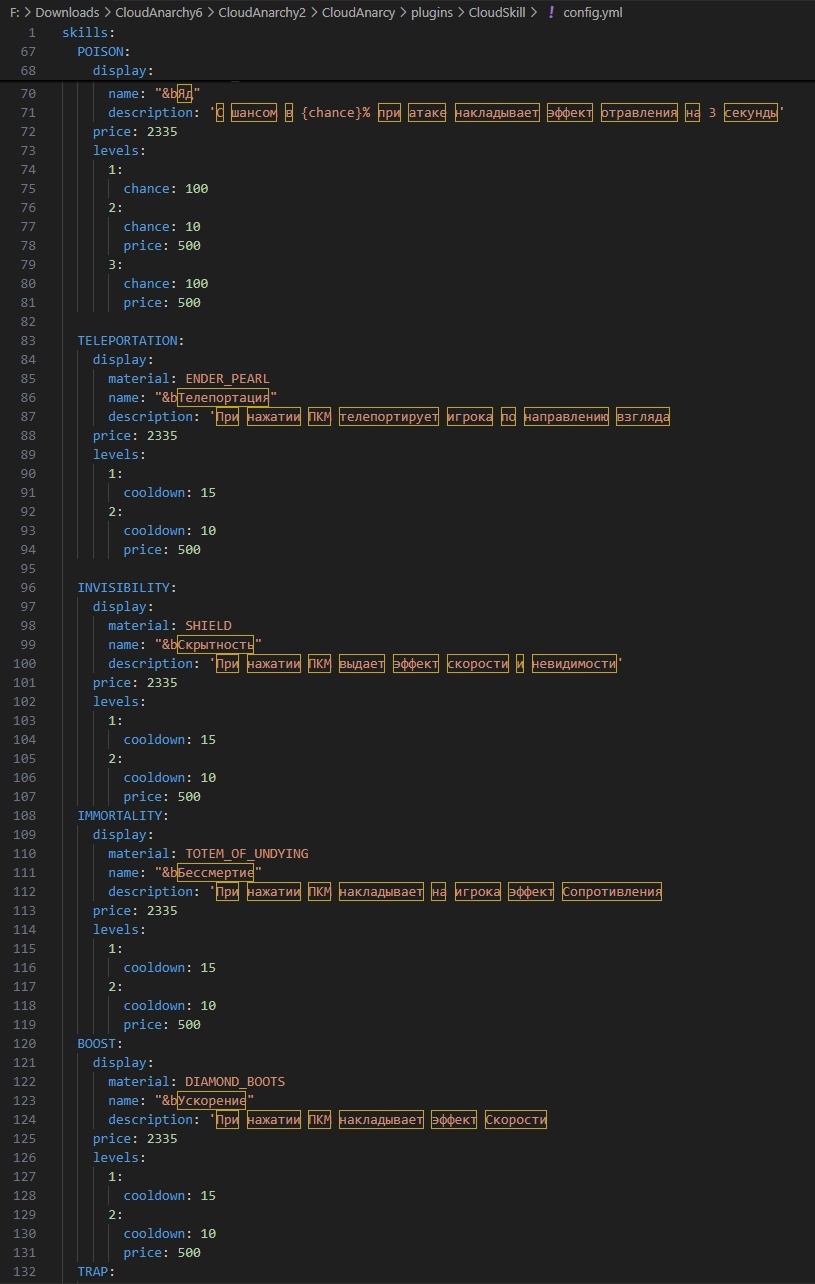
| Poison | Poison I for 3 seconds |
Pay attention to Freeze — it's the only skill that doesn't merely hinder the opponent but takes them out of the fight entirely for five seconds. Resistance 5 is there as a bonus on purpose: an immobilized player can't be shot at point-blank range while helpless. The mechanic is designed as control, not as a free kill.
Skills the player uses themselves
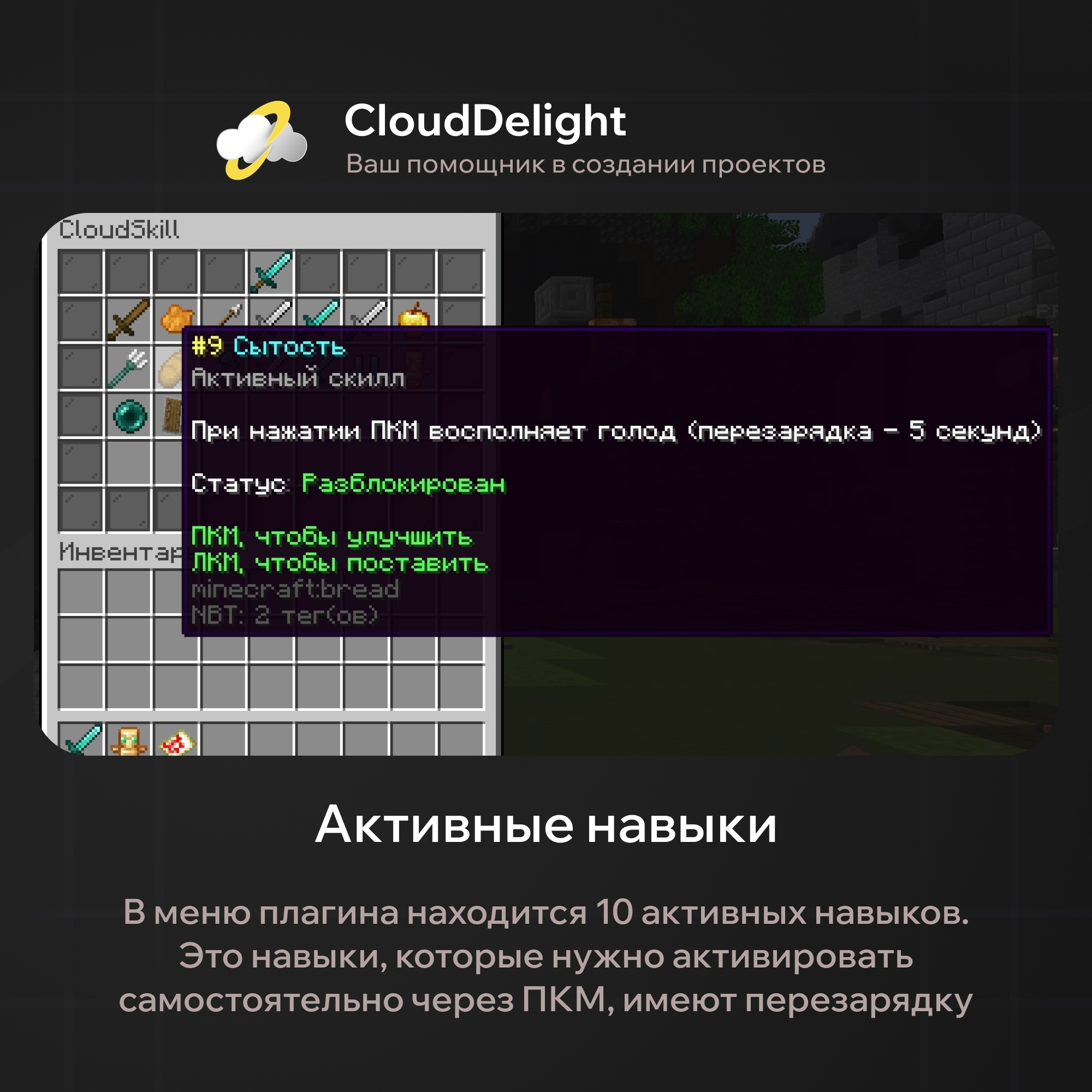
The second half is active skills, on right-click, with a cooldown.
| Skill | What it does on right-click |
|---|---|
| Teleportation | Moves you to the point under the cursor, no farther than 10 blocks |
| Stealth | Goes invisible and gives Speed 3 for 10 seconds |
| Immortality | Resistance 5 for 3 seconds |
| Acceleration | Speed 3 for 10 seconds |
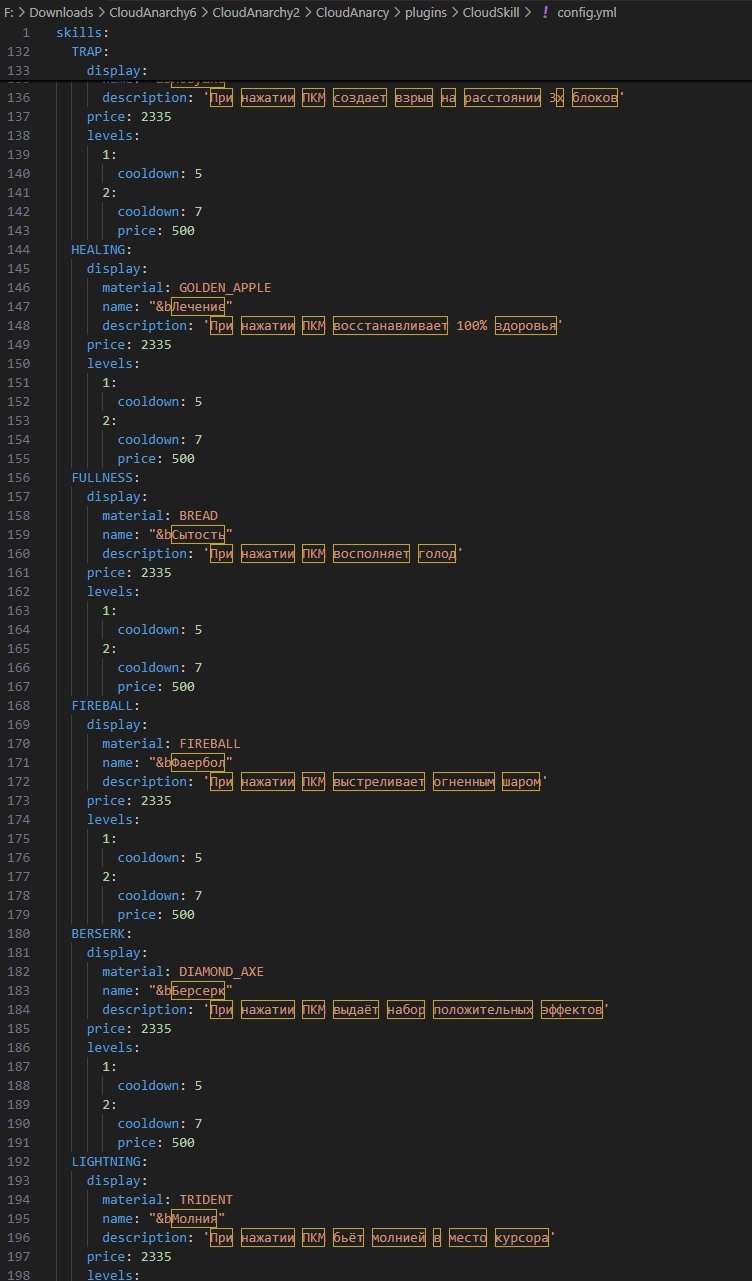
| Trap | Places a mine under the cursor: it explodes when someone comes within 2 blocks |
| Healing | Restores health fully |
| Satiety | Restores hunger |
| Fireball | Shoots a fireball — it doesn't break or ignite blocks |
| Berserk | Strength 1, Speed 2, Jump Boost 1, and Resistance 1 all at once for 10 seconds |
| Lightning | Strikes lightning at the point under the cursor |
A separate note on Fireball: it doesn't destroy or ignite blocks. This is essential for griefing and anarchy servers — the skill stays a weapon against players and doesn't turn into a tool for tearing down other people's bases.
Price and leveling
Each skill is bought with in-game currency and has levels. By default in the config it's: purchase — 2335, second level — another 500. A level raises effectiveness: for passive skills the trigger chance grows (5% → 7%), for active skills the wait between uses shrinks (5 → 7 seconds).
These numbers are our starting ones, not a law. The price is set separately for the purchase and separately for each level, and you can add as many levels as needed: three, ten, with any step of chance and cooldown. Your server's economy stays yours.
A menu for your server
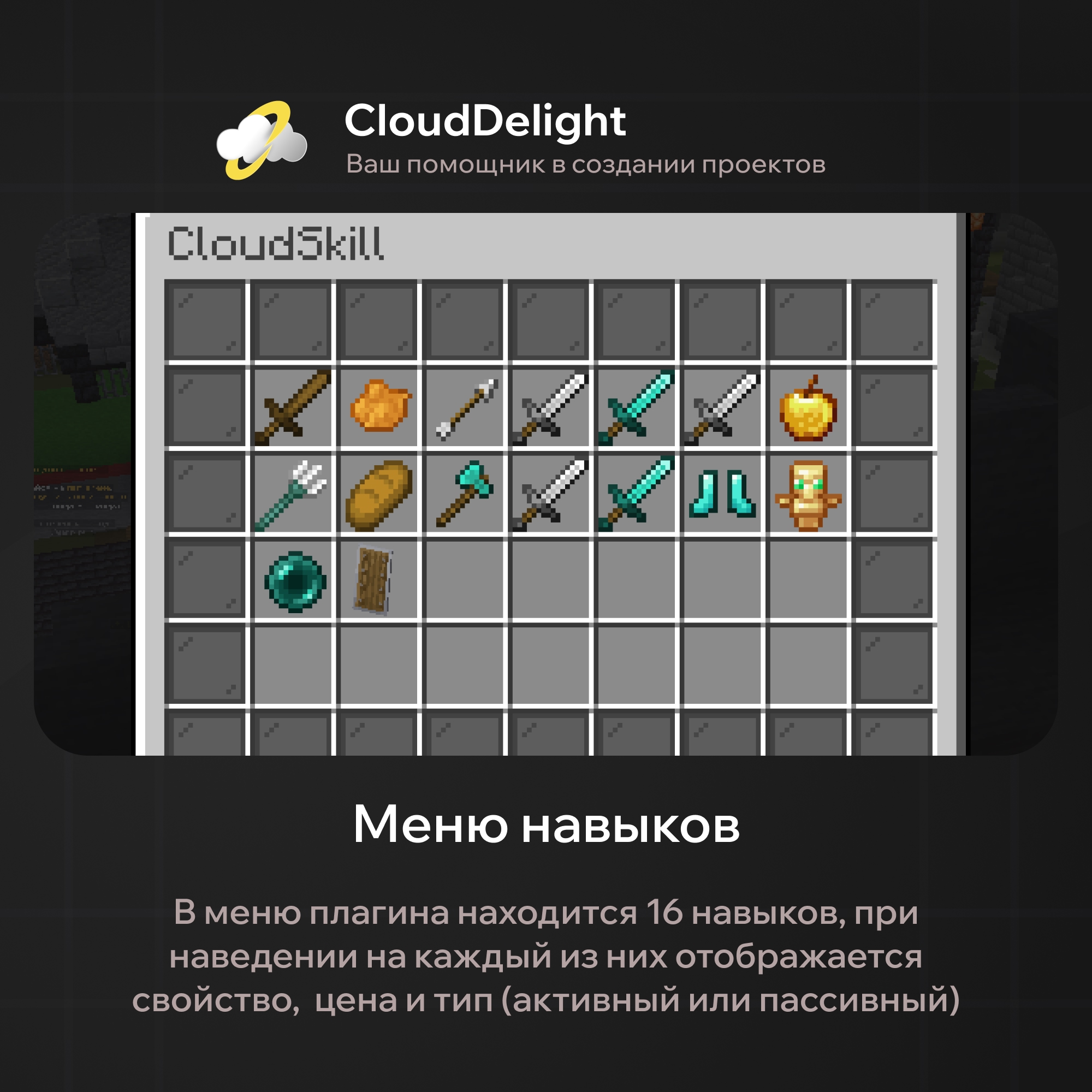
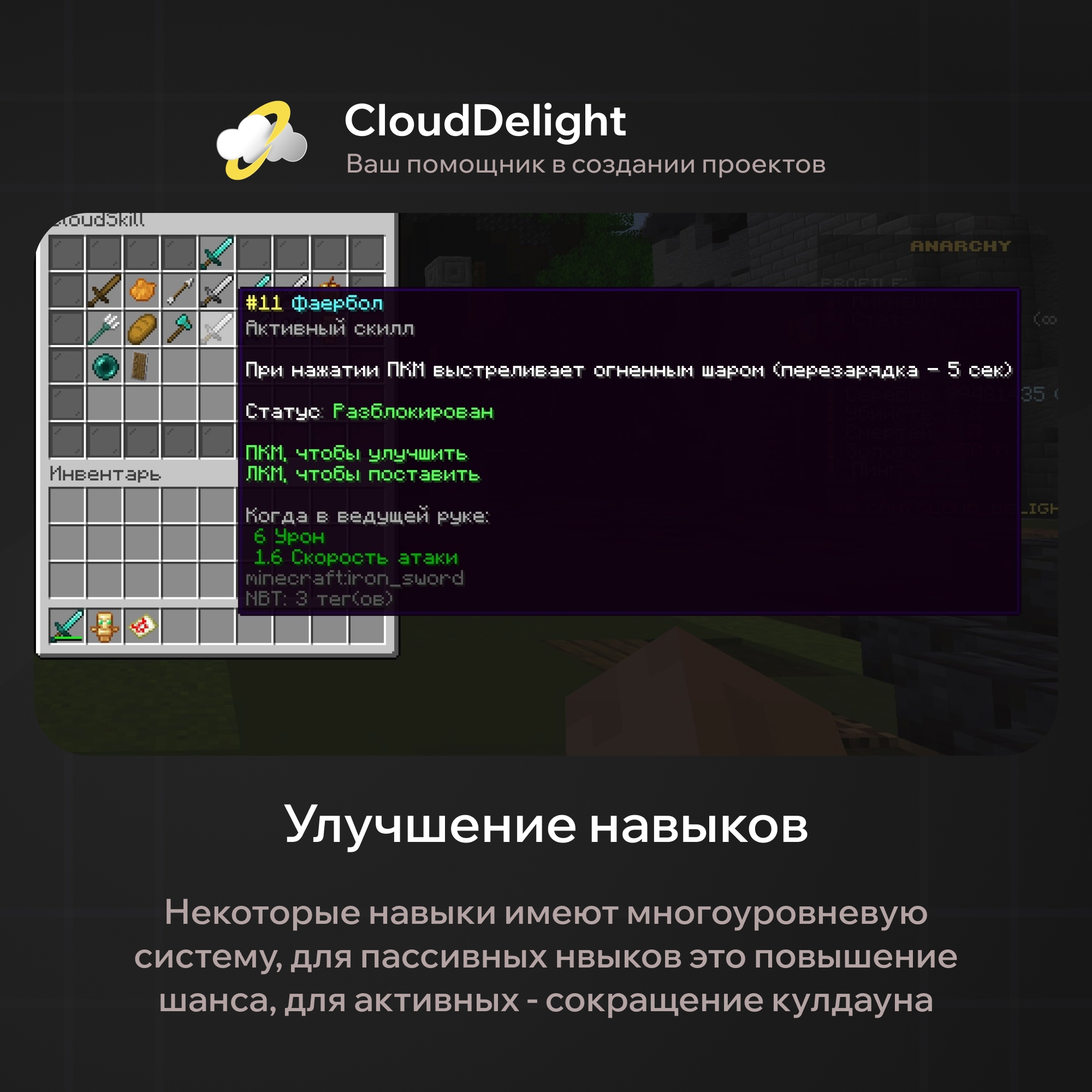
Skills live in a GUI via the /skill command, and this menu is built entirely for you: the title, the number of rows from one to six, the border material and name, specific slots for the border and specific slots for skills. By default it's six rows, a black stained glass border, and twenty-eight cells for the skills themselves.
The icon of each skill is yours too: any material and, if your server has a resource pack, custom model data — then the menu will show not diamond swords and snowballs but icons you drew yourself.
Who it suits
- Anarchy and griefing — PvP control: disarm, freeze, blind
- Survival with an economy — money gets a use beyond the shop
- RPG projects — a ready ability tree without writing your own from scratch
The plugin's main value is that it gives currency meaning. As long as money is spent only on items, a rich player is just better dressed. Here they also play differently — and you can see it in combat.
What you can change in the config
Sixteen skills, prices, levels, and a whole menu — it all lives in a single config.yml. Below it appears exactly as it ships with the plugin.
Let's start with the menu. It isn't drawn in code: you set the title and the height in rows and place the slots by hand — separately for the border, separately for the skills themselves.
gui:
  title: "CloudSkill"                       # menu title
  rows: 6                                    # rows, from 1 to 6
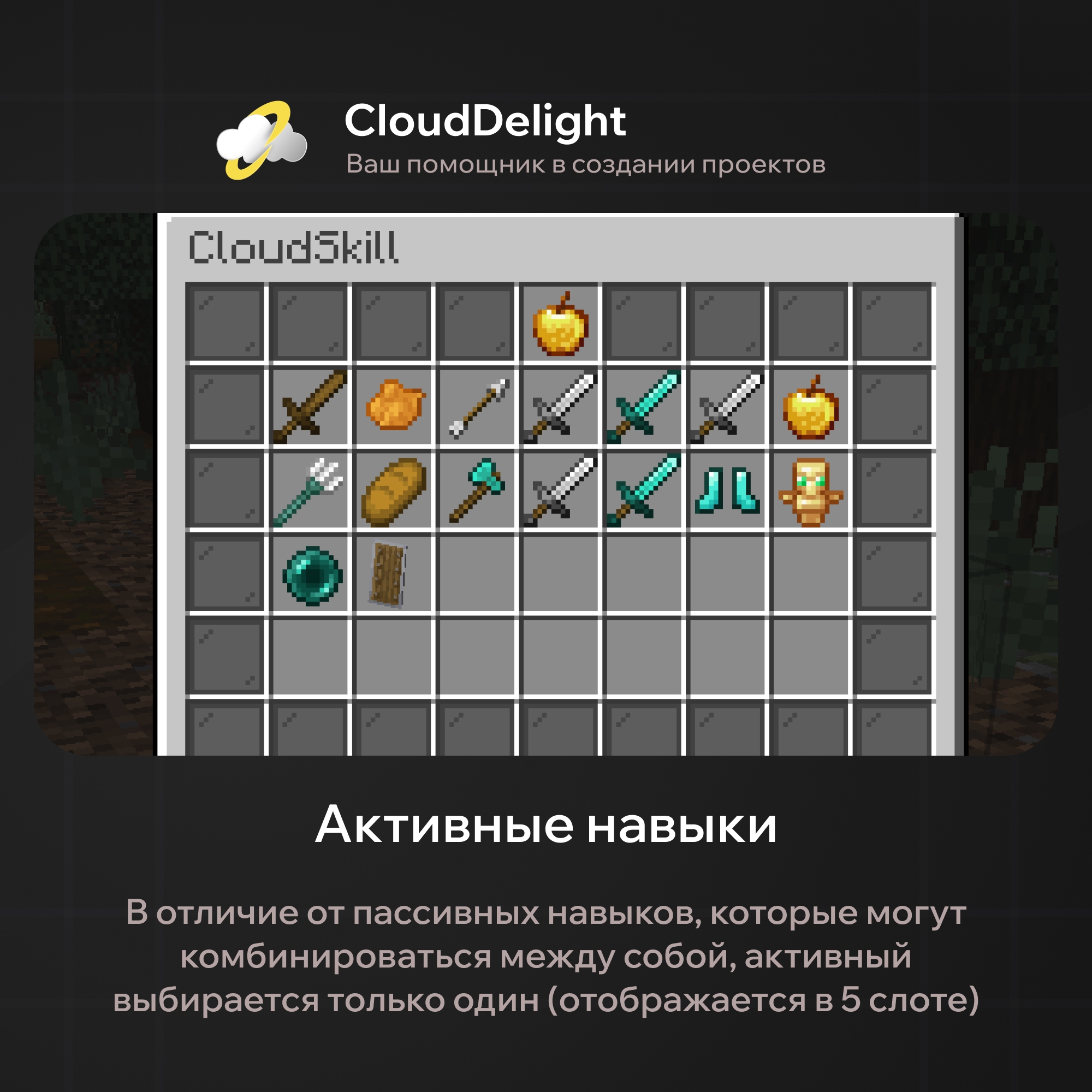
  selected-slot: 4                           # slot of the active skill
  border-material: BLACK_STAINED_GLASS_PANE
  border-name: "&r"
  border-slots: [0,1,2,3,4,5,6,7,8,9,17,18,26,27,35,36,44,45,46,47,48,49,50,51,52,53]
  skill-slots: [10,11,12,13,14,15,16,19,20,21,22,23,24,25,28,29,30,31,32,33,34,37,38,39,40,41,42,43]
Slots are counted from 0 to rows×9−1. By default: six rows and 28 cells for skills.
The menu can be made small, too. Leave rows: 3, put nine cells into skill-slots — and you get a compact window for a server with only a handful of skills. The plugin doesn't require you to fill all the slots.
Now the skill itself. In full, with all fields, it looks like this:
skills:
  ENHANCE_BLOW:
    display:
      material: DIAMOND_SWORD
      model-data: 0
      name: "&bEnhanced Blow"
      description: 'With a {chance}% chance, deals double damage on hit'
    price: 2335
    levels:
      1:
        chance: 5
      2:
        chance: 7
        price: 500
Let's take it apart, because this is where all the flexibility is.
display — how the skill looks in the menu. Any material plus model-data: this is custom model data from the resource pack, and if you have one, the menu will show not diamond swords and arrows but icons you drew yourself. Zero means "plain material"; a resource pack isn't required.
{chance} in the description isn't a typo but a substitution. The plugin inserts the current level's actual number there itself, so you don't have to rewrite the description after every balance change.
price and levels are the economy. The first price is the cost of buying the skill; after that each level has its own cost and its own numbers. You can add as many levels as you like, with any step:
    price: 1500
    levels:
      1:
        chance: 3
      2:
        chance: 5
        price: 800
      3:
        chance: 8
        price: 2000
      4:
        chance: 12
        price: 5000
An example of your own progression: four levels instead of two, a rising price and a rising chance.
For passive skills a level raises the trigger chance, for active ones it shortens the cooldown. Our starting numbers are modest, 5% and 5 seconds, so the skills don't break the balance right after installation. Your server, your numbers.
Disabling a skill entirely is easy too: delete its block from skills and it disappears from the menu. That's how you assemble a set for a specific mode — for example, on anarchy keep only control and teleport, and remove healing and satiety.
And one last thing worth saying honestly: the price of 2335 on all sixteen skills is a default value, not our recommendation. We deliberately set the same one so that you spread the prices out yourself, based on how much money actually circulates on your server.
Summary
CloudSkills Pro: sixteen skills, purchase and leveling for in-game money, a configurable menu, and full control over prices and balance. A resource pack isn't required, but if you have one, the menu can be drawn to match your project's style.
Updates and support are free. If you need your own skills or different balance, message us and we'll adjust it for your project.